
Mac Studio
The latest M3 Ultra and M4 Max Mac Studio prices & sales from Apple retailers, plus all the information you need to make an informed purchase
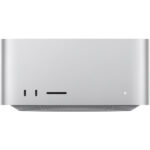
Mac (M3/M4) Studio Sales
Here are the best sale prices as of
Links below take you to retailer’s product page. This site contains affiliate links for which MacPrices may be compensated
| Studio Models → BEST SALES ↓ | 14-Core M4 Max 36GB/512GB MSRP $2499 | 28-Core M3 Ultra 96GB/1TB MSRP $5299 |
|---|---|---|
 | $2499 | $5299 |
 | $2499 | $5299 |
Notes:
MacPrices is a proud affiliate partner with Apple retailers and the eBay Partner Network
All resellers: Free shipping, sales tax not included
Select price for product details or to purchase
Recent Mac Studio Sales
- Mac Studio with M3 Ultra CPU on sale for $3749, $250 off Apple’s MSRP 2/16/2026
- Mac Studio with M4 Max CPU on Holiday sale for $1799, $200 off Apple’s MSRP 12/18/2025
- Mac Studio with M4 Max CPU on early Black Friday sale for $1799, $200 off Apple’s MSRP 11/19/2025
- Update: Mac Studio with M4 Max CPU now on sale for $1799, $200 off Apple’s MSRP 8/27/2025
Mac Studio Review
The Apple Mac Studio is a powerhouse designed for professionals who demand top-tier performance. Equipped with Apple’s M4 Max or M3 Ultra chips, the Mac Studio delivers exceptional speed and efficiency. Whether you’re editing 8K video, rendering complex 3D scenes, running large AI models, compiling massive code projects, or juggling multiple virtual machines, the Mac Studio is built to handle demanding professional workflows with ease.
The current Mac Studio lineup gives buyers two very different levels of performance. The M4 Max model starts with a 14-core CPU and 32-core GPU, and can be configured up to a 16-core CPU and 40-core GPU. For users who need even more power, the M3 Ultra model starts with a 28-core CPU and 60-core GPU, and scales all the way up to a massive 32-core CPU and 80-core GPU. Apple also equips the M3 Ultra with a 32-core Neural Engine and support for up to 512GB of unified memory, making it one of the most capable desktops Apple has ever released.
CPU performance is especially impressive. The M4 Max brings class-leading single-core speed and excellent multi-core performance, while the M3 Ultra pushes much further in heavily threaded workloads thanks to its much higher core counts. In real-world use, that means the M4 Max is a great fit for fast-paced creative work, photography, video editing, and software development, while the M3 Ultra is better suited for users with extreme rendering, simulation, scientific, audio, or AI workloads that can take advantage of more cores and more memory bandwidth.
Graphics performance is equally strong. The M4 Max offers up to a 40-core GPU with hardware-accelerated ray tracing and dynamic caching, while the M3 Ultra goes up to 80 GPU cores. That makes the new Mac Studio exceptionally well suited for graphics-intensive applications like Final Cut Pro, DaVinci Resolve, Blender, Cinema 4D, Logic Pro, Xcode, and Adobe Creative Cloud, especially when paired with large amounts of unified memory.
Memory capacity is one of the biggest reasons to step up to the Mac Studio. The M4 Max model starts with 36GB of unified memory and can be configured up to 128GB, while the M3 Ultra starts at 96GB and can scale to an enormous 512GB. Apple also lists memory bandwidth of up to 546GB/s for M4 Max and up to 819GB/s for M3 Ultra, helping the system stay responsive even under very large professional workloads.
The Mac Studio’s expandability is designed with professionals in mind, offering a wide range of connectivity options for demanding setups. On the back, every current Mac Studio includes four Thunderbolt 5 ports, two USB-A ports, an HDMI port, a 10Gb Ethernet port, and a 3.5mm headphone jack. On the front, the M4 Max model includes two USB-C ports and an SDXC card slot, while the M3 Ultra upgrades those front ports to Thunderbolt 5. This makes it easy to connect fast external storage, high-resolution displays, pro audio hardware, cameras, and other peripherals.
Internal storage options range from 512GB to 8TB on M4 Max models and from 1TB up to 16TB on M3 Ultra models. As with previous Apple silicon desktops, the internal SSD is not user-upgradable, so buyers should choose their storage carefully when ordering. That said, Thunderbolt 5 support gives the Mac Studio significantly more headroom for ultra-fast external storage and expansion than earlier generations.
Display support is also excellent. Apple says the M4 Max Mac Studio can support up to five displays simultaneously, including up to four 6K displays over Thunderbolt and one 4K display over HDMI. The M3 Ultra can go even further, supporting up to eight displays in some configurations. This makes the Mac Studio a flexible choice for multi-monitor editing bays, music production rigs, trading desks, development labs, and other advanced desktop environments.
Here’s a comparison of Geekbench 6 single-core and multi-core scores for Apple’s latest Mac Studio models, compared with the previous-generation Mac Studio lineup.
| CPU | Single-Core Score | Multi-Core Score |
|---|---|---|
| M4 Max (16-core CPU) | ~4029 | ~26183 |
| M3 Ultra (32-core CPU) | ~3201 | ~27736 |
| M2 Ultra | ~2776 | ~21413 |
| M2 Max | ~2805 | ~14914 |
| M1 Ultra | ~2398 | ~18442 |
Key Observations →
- Single-Core Performance:
- M4 Max: The M4 Max delivers a major jump in single-core performance, with Geekbench 6 scores around 4029. That puts it well ahead of the M2 Max, M2 Ultra, and M1 Ultra, making it especially strong for workloads that benefit from fast per-core performance, including many creative apps, development tools, and everyday pro tasks.
- M3 Ultra: The M3 Ultra’s single-core performance is also strong at roughly 3201, but its biggest advantage comes from scaling much further in multi-core and high-memory workloads rather than chasing the very highest single-core score.
- Multi-Core Performance:
- M3 Ultra: With a multi-core score around 27736, the M3 Ultra is the fastest Mac Studio option in heavily threaded CPU workloads. It offers a substantial uplift over the M2 Ultra and a much larger jump over the M2 Max and M1 Ultra.
- M4 Max: The M4 Max is remarkably strong in multi-core work as well, posting scores around 26183 in its 16-core configuration. That puts it surprisingly close to the M3 Ultra in some CPU tests while also delivering far stronger single-core speed.
- Generational Performance Trends:
- The current Mac Studio generation improves meaningfully on the previous M2-based lineup. M4 Max dramatically raises single-core performance, while M3 Ultra extends Apple’s desktop performance lead for users who need extreme multi-core capability, enormous unified memory capacity, and more GPU resources.
- This also means buyers now need to choose more carefully based on workflow: the M4 Max is likely the best fit for many professionals, while the M3 Ultra is aimed at users whose workloads can justify the extra cost and scale.
In summary, the latest Mac Studio models represent a substantial evolution of Apple’s pro desktop lineup. The M4 Max model offers exceptional all-around performance with especially impressive single-core speed, while the M3 Ultra is designed for users who need maximum compute, graphics, memory capacity, and connectivity. Combined with Thunderbolt 5, extensive display support, fast SSD storage, and a compact, quiet design, the Mac Studio remains one of the best desktop options available for creative professionals and power users.